Free monthly budget spreadsheet template for Excel
This free Excel template keeps your budget month by month: one row per income and per expense, and the workbook works out what you have left, your savings rate, where your money goes and a twelve-month history. Direct download, no sign-up; it opens in Excel and Google Sheets, and imports into Patrice as it is.
What the template contains: three tabs
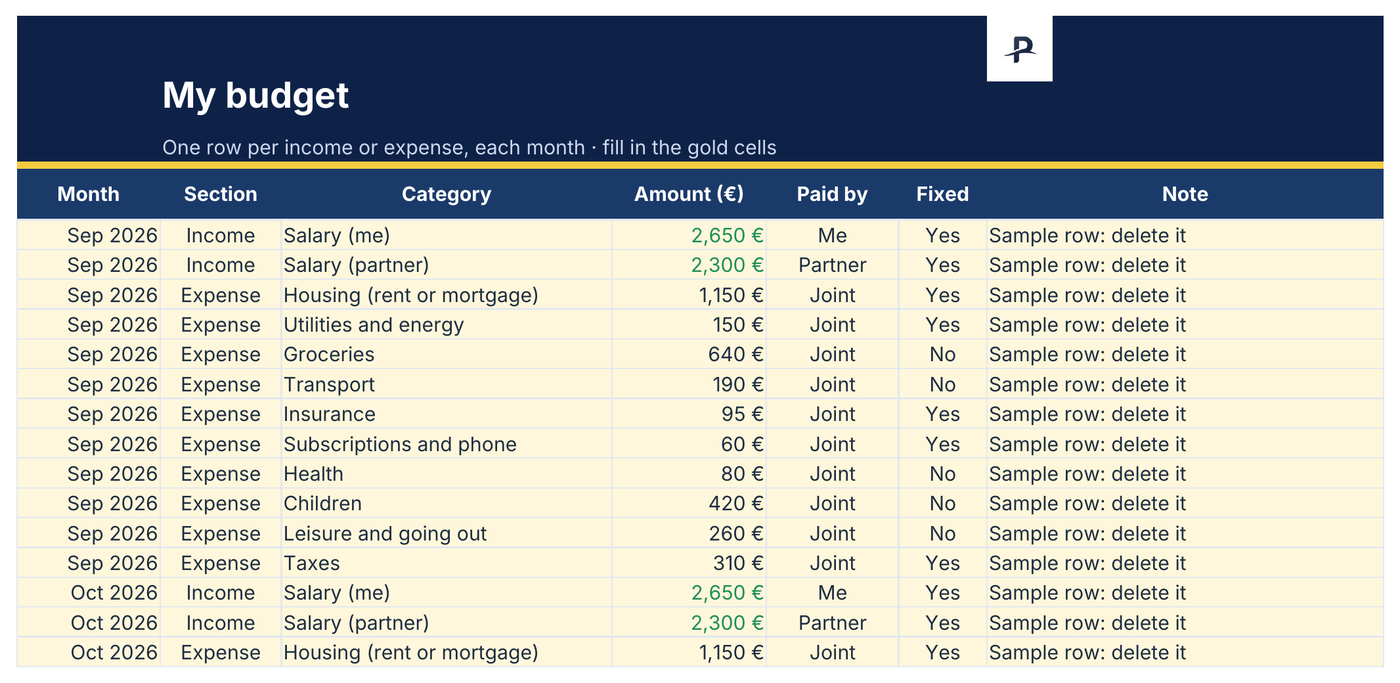
A macro-free Excel workbook for a single person or a couple: each row says who pays, and whether the expense comes back every month.
Budget
One row per income or expense, with the month, the section, the category, the amount, who pays and whether it is a fixed cost. Six hundred rows, four years at a dozen rows a month.
Summary
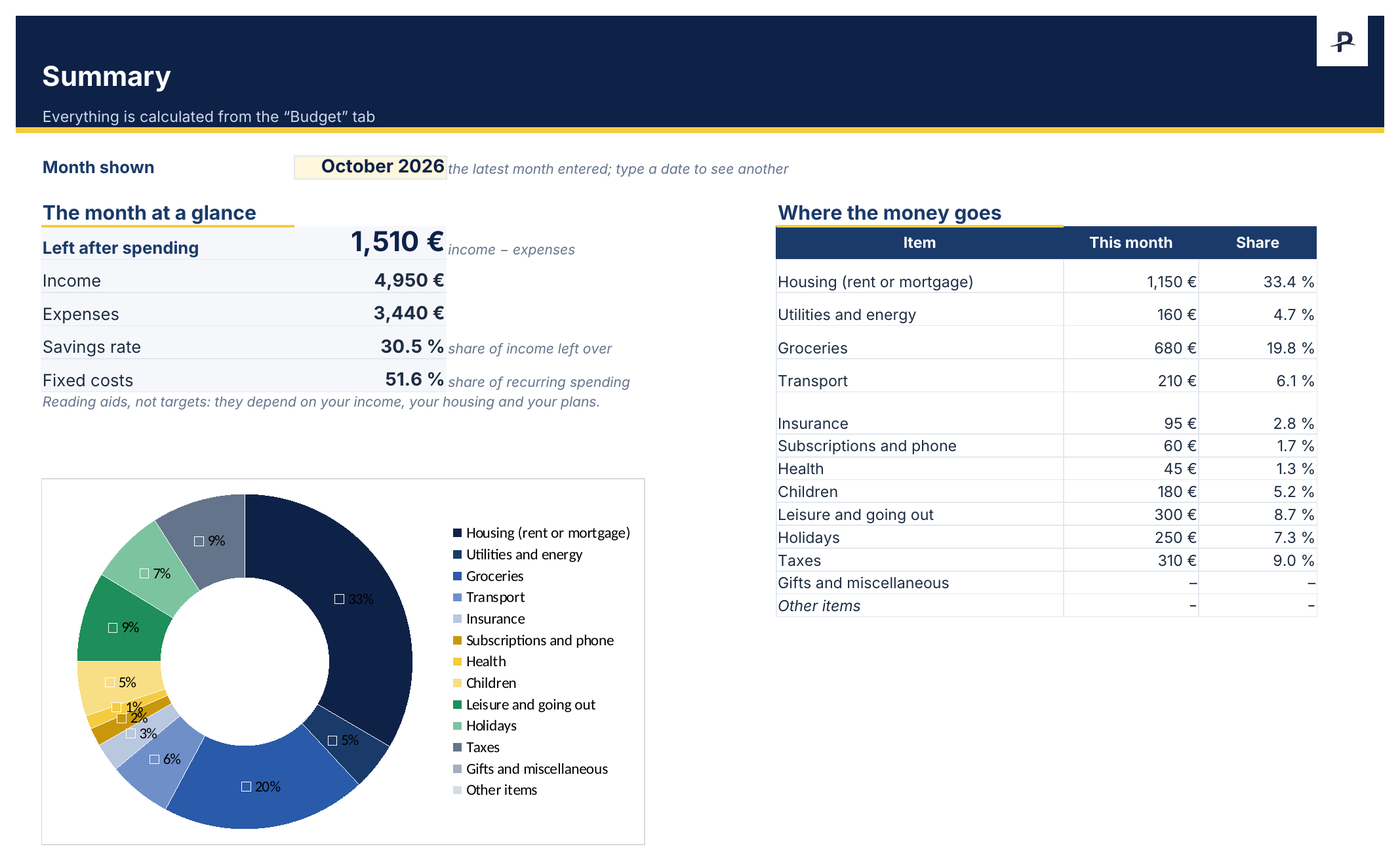
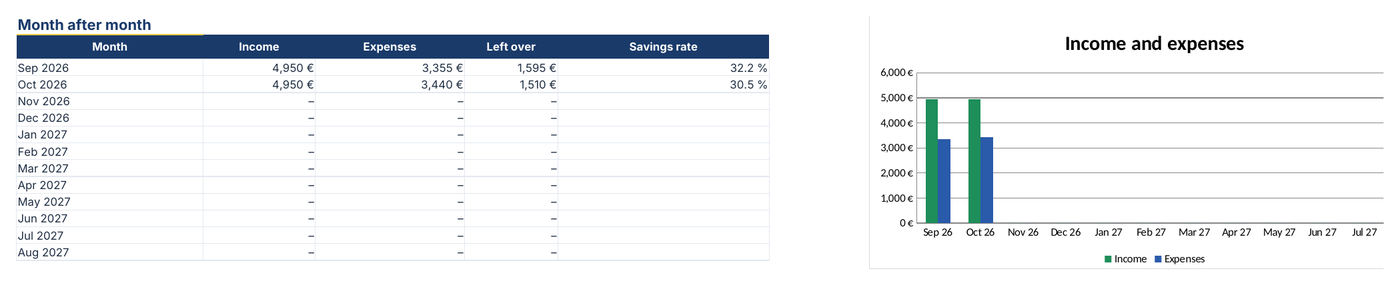
The chosen month at a glance: income, expenses, money left over, savings rate, share of fixed costs and a doughnut chart of your spending. Below, twelve months side by side and their chart.
Read me
The instructions on one page. Two months of made-up examples show how to fill it in: delete them before you start.
A look at the budget template, filled in with the examples
Money left over and savings rate: what this budget measures
What is left after spending is what remains of the month once everything is paid: income minus expenses. Divided by income, it gives your savings rate, the figure that tells you whether your wealth can grow.
With the template's made-up examples, in October: €4,950 of income and €3,440 of expenses, leaving €1,510 and a savings rate of 30.5%.
The template offers 6 income categories and 12 expense categories: housing, utilities and energy, groceries, transport, insurance, subscriptions and phone, health, children, leisure and going out, holidays, taxes, gifts and miscellaneous. A category missing from the list can be typed by hand.
Keeping your budget in ten minutes a month
In the first month, enter every income and every expense in the “Budget” tab, working from your statements.
In the following months, copy last month's rows, change the month, then adjust the amounts that moved.
Open the “Summary”: the latest month entered is shown; type another date in the gold cell to look at a different one.
For Google Sheets: upload the file to Google Drive, then “Open with › Google Sheets”.
From the Excel template to Patrice, without typing it all again
This template imports into Patrice for free: Settings › Import & export › Import › Budget Import. Each imported month replaces the month already saved; you see what will be written before confirming. The file is read in your browser.
Patrice then links your budget to your net worth and your cash flow forecasts. The advanced budget (each partner's share, savings goals, AI analysis) is part of Premium; the template itself stays free and complete.
Frequently asked questions
When the spreadsheet is no longer enough.
Explore Patrice with sample data, with no account and no card, then import your budget.