Free net worth spreadsheet template for Excel
This free Excel template is a ready-to-fill net worth tracker: it works out your net worth (what you own minus what you owe) and tracks it month after month, from savings accounts to a PEA, from life insurance to property and loans. Direct download, no sign-up and no email; it opens in Excel and Google Sheets, and imports into Patrice as it is.
What the template contains: four tabs
A macro-free Excel workbook built for a household, single or a couple, with its accounts, savings, investments, property and loans. The account types are the French ones (Livret A, PEA, assurance-vie, PER), for anyone who is tax resident in France.
Holdings
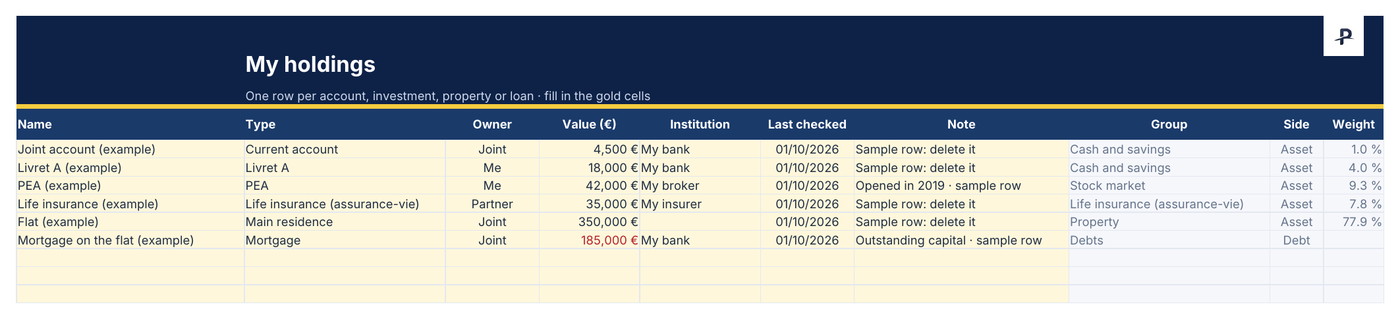
One row per account, investment, property or loan, up to a hundred rows. The type is picked from a list, and so is the owner (me, partner, joint). An update date turns orange after 45 days.
Summary
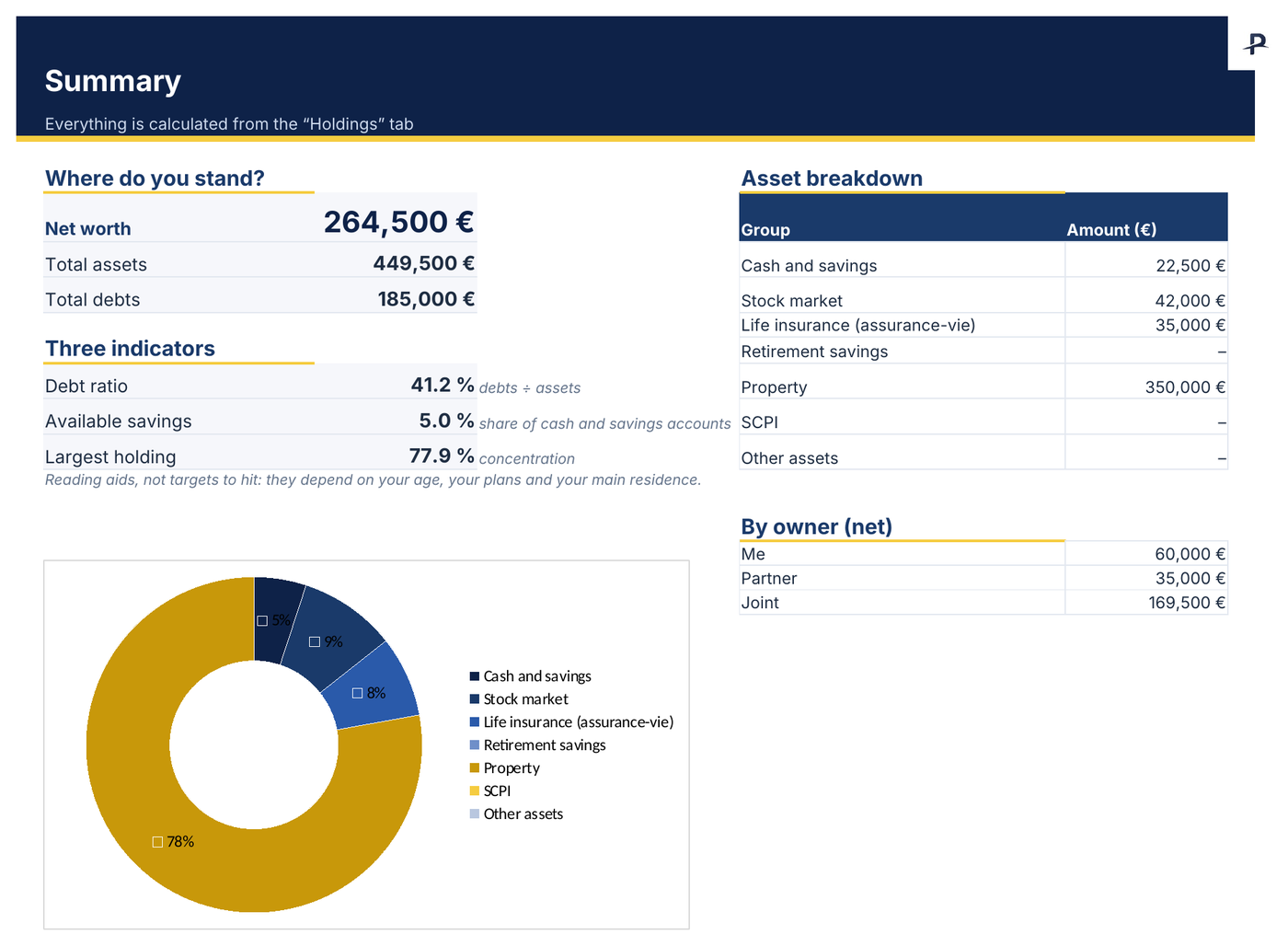
Your net worth, a doughnut chart of your assets, what each person owns, and three indicators: debt ratio, available savings, weight of the largest holding.
Monthly tracking
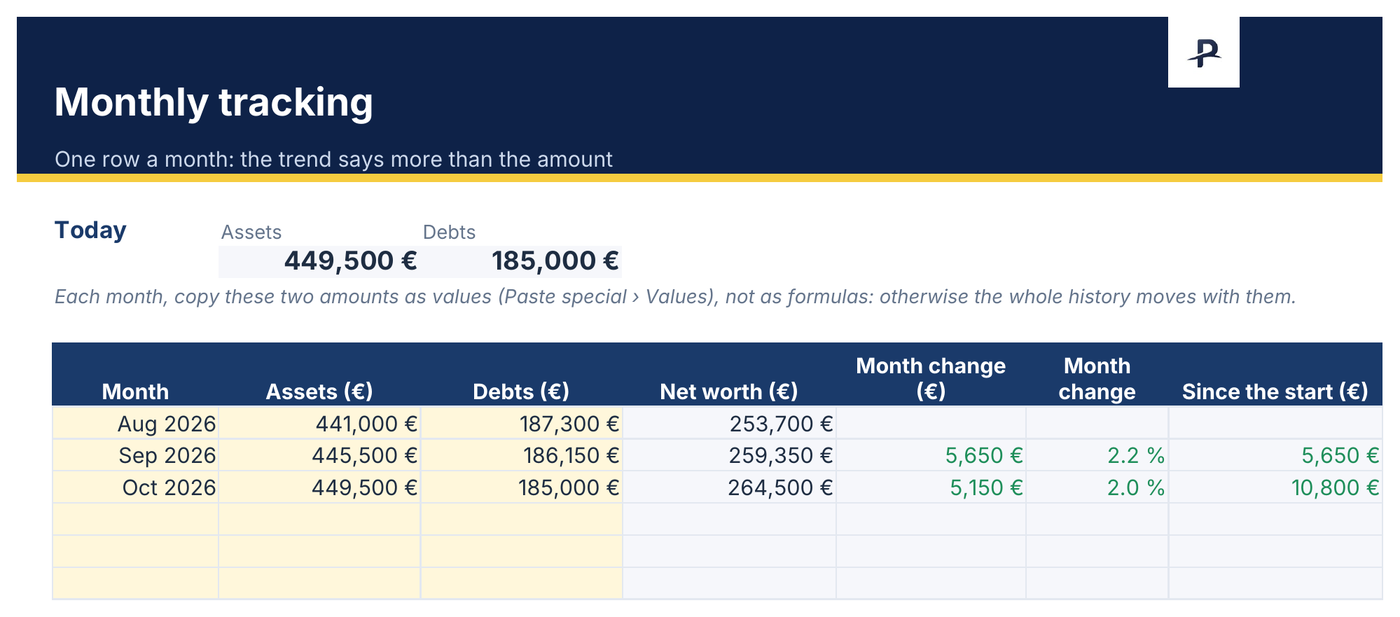
One row a month and the curve of your net worth. The change over the month and since the start are calculated for you.
Read me
The instructions on one page. Made-up examples show how to fill it in: delete them before you start.
A look at the Excel template, filled in with the examples
Net worth: what this tracker measures
Net worth is a household's real wealth: the value of everything it owns (cash, savings, investments, property) minus everything it owes, that is the outstanding capital on its loans. It is the bottom line of a personal balance sheet, assets on one side, liabilities on the other.
With the template's made-up examples: €449,500 of assets (a joint account, a Livret A, a PEA, a life insurance policy, a flat) and €185,000 of mortgage still owed, giving €264,500 of net worth.
The file sorts 23 types of assets and debts into seven groups: cash and savings (current account, Livret A, LDDS, LEP, PEL), stock market (PEA, securities account, shares), life insurance, retirement savings (PER), property, SCPI and other assets (crypto, physical gold, private equity, car, jewellery and collectibles). Mortgages, car loans and consumer loans count as debts.
Filling in the tracker in ten minutes a month
On day one, list every account, investment, property and loan in the “Holdings” tab. For a loan, enter the outstanding capital.
Each month, open your statements and update the “Value” column. Only the gold cells need filling in.
In “Monthly tracking”, add a row and copy the two totals at the top as values (Paste special › Values): otherwise the history moves with them.
For Google Sheets: upload the file to Google Drive, then “Open with › Google Sheets”.
The Excel spreadsheet: what it does very well, and where it becomes a chore
What it does very well
- complete freedom of structure;
- it is free;
- no data held by a third party;
- the habit of looking at your figures every month.
Where it becomes a chore
- the value of your property, left to guesswork;
- share prices to type in again;
- the tax rules of each account to keep up to date yourself;
- the rent and charges of a rental property;
- sharing with a partner without overwriting each other's work.
From the Excel template to Patrice, without typing it all again
This template imports into Patrice as it is, for free: Settings › Import & export › Import. Types, owners and values are carried over, and you check each row before it is created. The file is read in your browser.
Patrice then takes over what a spreadsheet does badly: your property's value estimated from actual sales, prices updated on their own, French taxation, rental management and sharing with a partner. Nothing obliges you to switch: the template stays free and complete.
Frequently asked questions
When the spreadsheet is no longer enough.
Explore Patrice with sample data, with no account and no card, then import your file.